Invoices Overview and Bulk Generator
Published Feb 07, 2026
Updated Feb 07, 2026
3 min read
The ISPBox Invoices module combines an overview page for invoice management and a bulk generator page for controlled invoice runs across clients, with clear status tracking, lifecycle actions, and run-date logic.
Page 1: /invoices (Invoices Overview)
Purpose
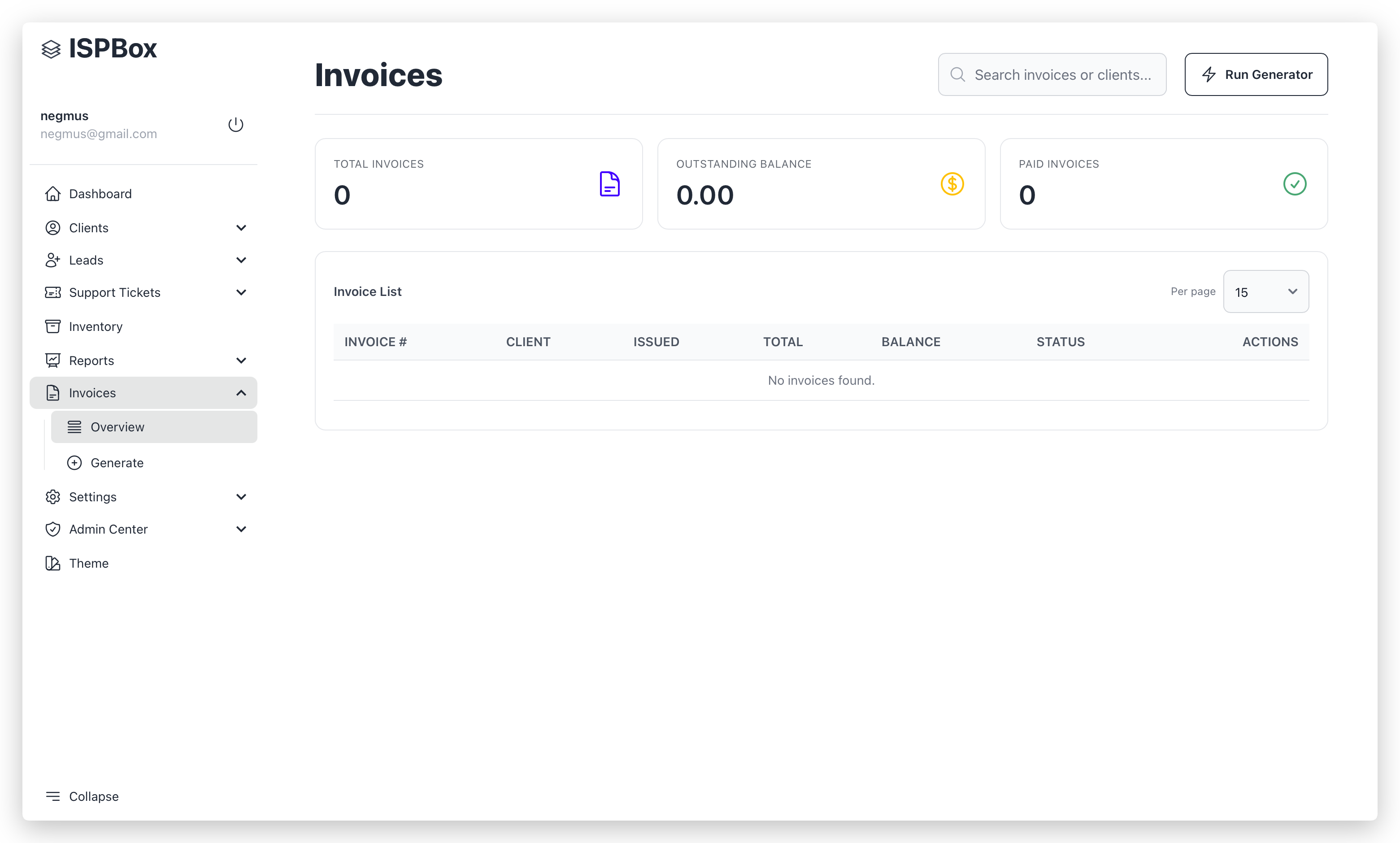
The Invoices Overview page is the main operational list for issued invoices across the tenant.
It is used to search, review invoice status, send invoices, and perform lifecycle actions (void, dev-only delete).
Access
| Item | Value |
|---|---|
| URL | /invoices |
| Permission | billing.view |
| Primary use | Daily invoice monitoring and actions |
Header actions
| Action | Description |
|---|---|
| Search invoices or clients | Live search by invoice number or client name |
| Run Generator | Opens /invoices/generate |
KPI cards
| Card | Calculation |
|---|---|
| Total Invoices | Count of all tenant invoices |
| Outstanding Balance | Sum of invoice balances where balance > 0 |
| Paid Invoices | Count of invoices with status paid |
Invoice list
| Column | Description |
|---|---|
| Invoice # | Invoice number (or ID fallback) |
| Client | Linked client name |
| Issued | Invoice issue date |
| Total | Invoice total amount |
| Balance | Current unpaid amount |
| Status | Invoice status badge (+ “Emailed” badge if emailed_at exists) |
| Actions | View, Send, Void, Delete (dev only) |
Row actions
| Action | Behavior | Rules |
|---|---|---|
| View | Opens invoice preview endpoint in a new tab | Always available |
| Send | Sends invoice email manually | Requires client email and mailbox connectivity |
| Void | Opens void modal and performs lifecycle void | Only for unpaid, non-void, non-partial/paid invoices, no allocations |
| Delete | Permanently removes invoice and related records | Available only in dev environment |
Void modal options
| Option | Effect |
|---|---|
| Reset service billing schedule | Moves service billing schedule back to invoice period to allow clean re-issue in next run |
Page 2: /invoices/generate (Bulk Invoice Run)
Purpose
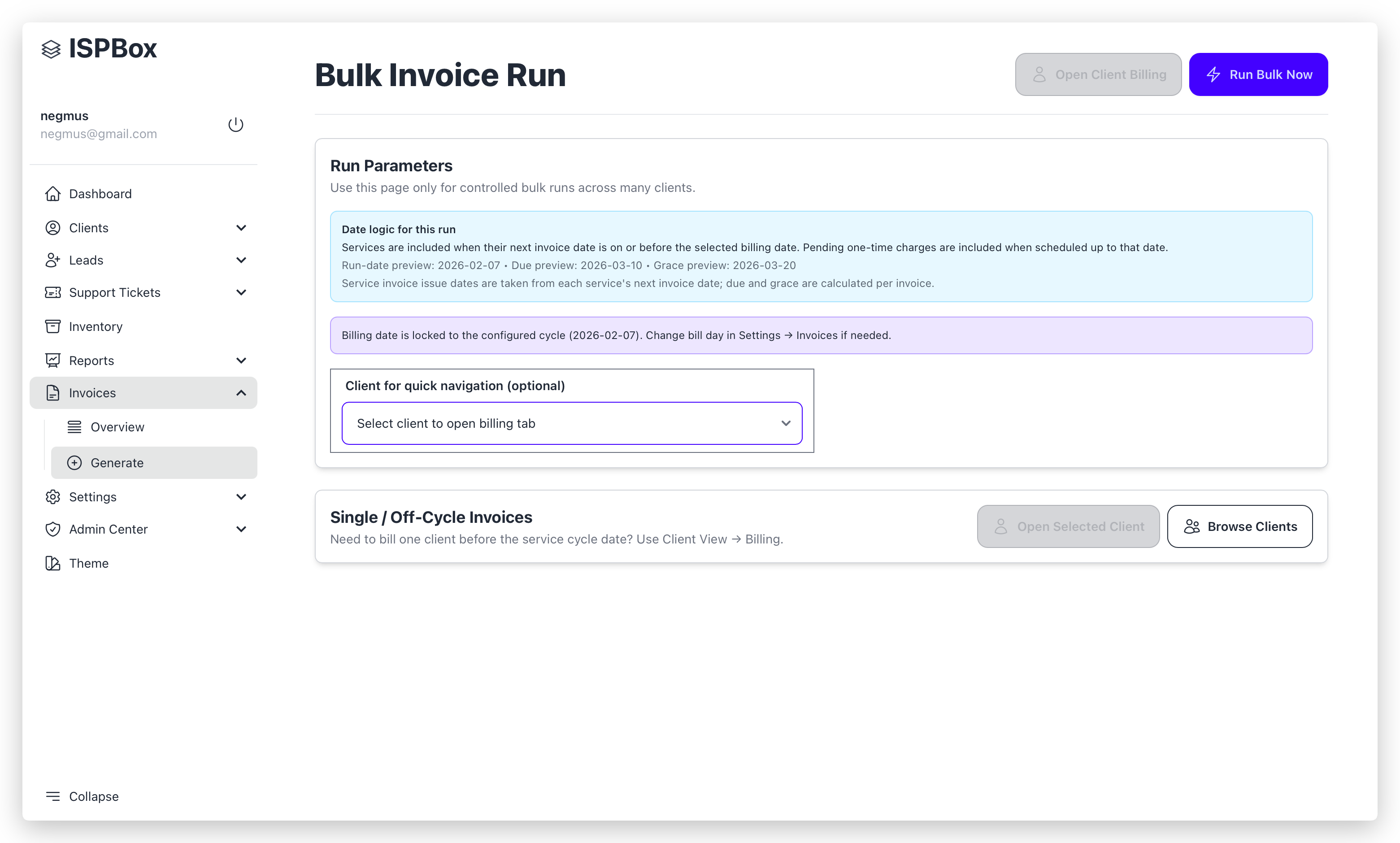
The Bulk Invoice Run page executes controlled invoice generation for many clients at once (or one selected client).
Access
| Item | Value |
|---|---|
| URL | /invoices/generate |
| Permission | billing.edit |
| Primary use | Scheduled-style/manual bulk generation |
Top actions
| Action | Description |
|---|---|
| Run Bulk Now | Starts invoice run with current parameters |
| Open Client Billing | Opens selected client directly in Client Billing tab |
Run Parameters section
| Field | Description |
|---|---|
| Billing date | Run anchor date for due services and pending one-time charges |
| Client for quick navigation (optional) | Filters run to one client and enables direct jump to client billing |
Date logic shown on page
| Preview | Meaning |
|---|---|
| Run-date preview | Selected/locked invoice run date |
| Due preview | Run date + tenant payment terms |
| Grace preview | Due date + tenant grace period |
Locked date behavior
| Condition | Behavior |
|---|---|
| Billing cycle day configured in Settings → Invoices | Billing date is auto-locked to next configured cycle date |
| No valid bill day configured | Billing date stays editable |
Bulk-run safety lock
| Condition | Effect |
|---|---|
| Generate invoices automatically on the billing schedule is enabled in settings | Manual bulk run is disabled on this page to prevent duplicate/off-cycle bulk runs |
Run output
After completion, the page shows:
| Block | Contents |
|---|---|
| Generation Summary | List of issued invoices (number, client, date, total, status) |
| Errors | Preflight or runtime errors from the run |
What the run includes (backend behavior)
| Included | Rule |
|---|---|
| Billable services | Active billable services due on or before selected date |
| Pending one-time charges | Pending items scheduled up to selected date |
| Client eligibility | Active/overdue allowed statuses; manually blocked clients are excluded |
| Optional single-client mode | If a client is selected, run targets that client only |
What the run can trigger automatically
| Feature | Trigger |
|---|---|
| Invoice emails | When tenant/service config resolves auto_email = true |
| Stripe auto-charge attempts | When tenant config has auto_charge = true and invoice has balance |
Recommended usage
| Scenario | Recommended page |
|---|---|
| Full cycle billing for many clients | /invoices/generate |
| One client / off-cycle corrections | Client View → Billing tab |
| Reviewing and sending existing invoices | /invoices |