Invoice Settings
Invoice Settings in ISPBox let you control how invoices are generated, numbered, sent, and escalated, including tax logic, billing timelines, automation rules, and billing communication templates.
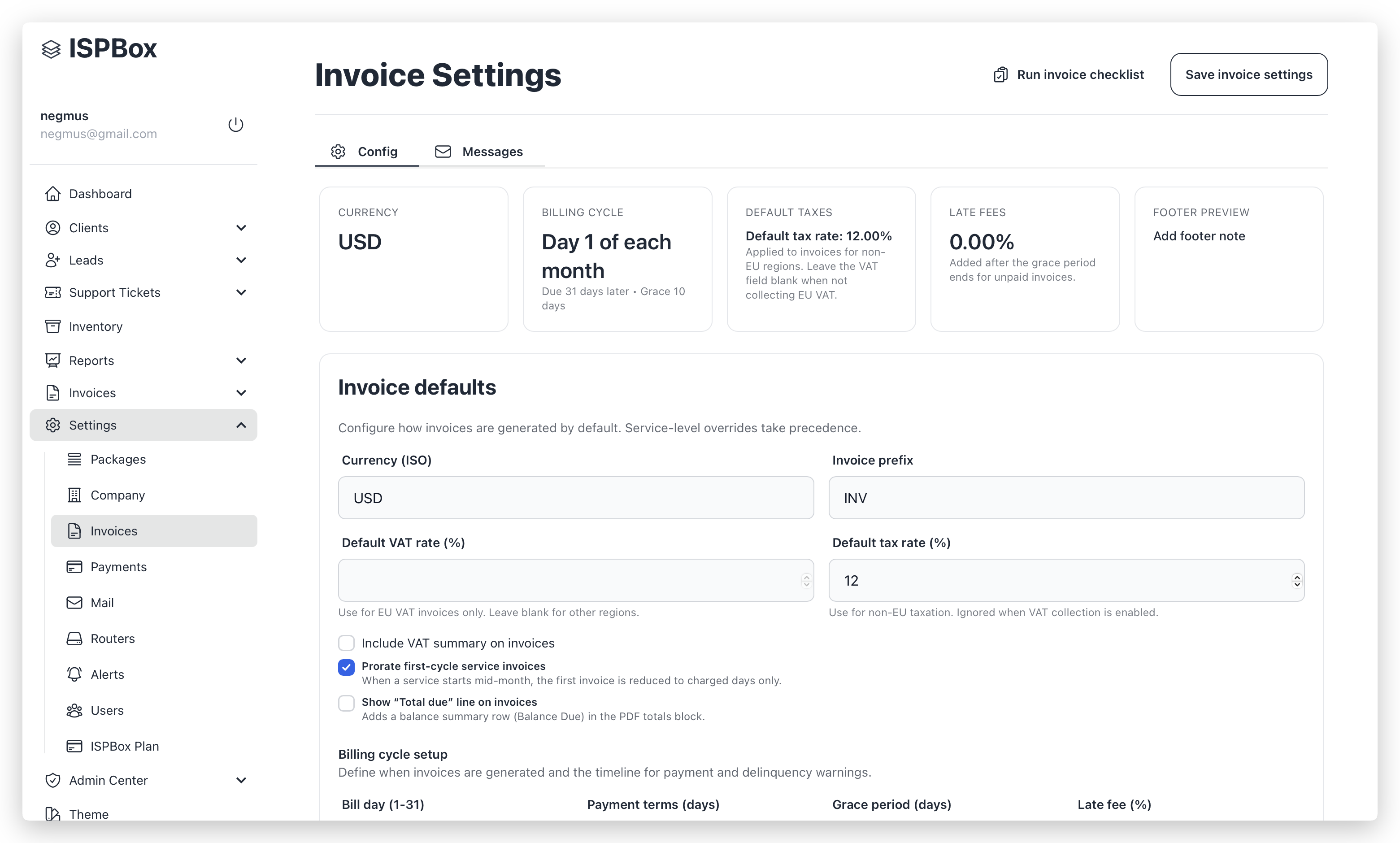
1. Invoice defaults
Use this section to define tenant-wide defaults for invoice generation.
| Field | Description |
|---|---|
| Currency (ISO) | 3-letter invoice currency (for example: USD, EUR). |
| Invoice prefix | Prefix used in invoice numbering (for example: INV). |
| Default VAT rate (%) | VAT rate used when VAT mode is enabled (EU use case). |
| Default tax rate (%) | Non-EU tax/fee rate. |
| Include VAT summary on invoices | Enables VAT summary display in invoice output. |
| Prorate first-cycle service invoices | Reduces first invoice when service starts mid-cycle. |
| Show “Total due” line on invoices | Adds a balance summary line in PDF totals. |
Notes:
- VAT rate and default tax rate are mutually exclusive in practical use.
- Service-level billing overrides can take precedence over tenant defaults.
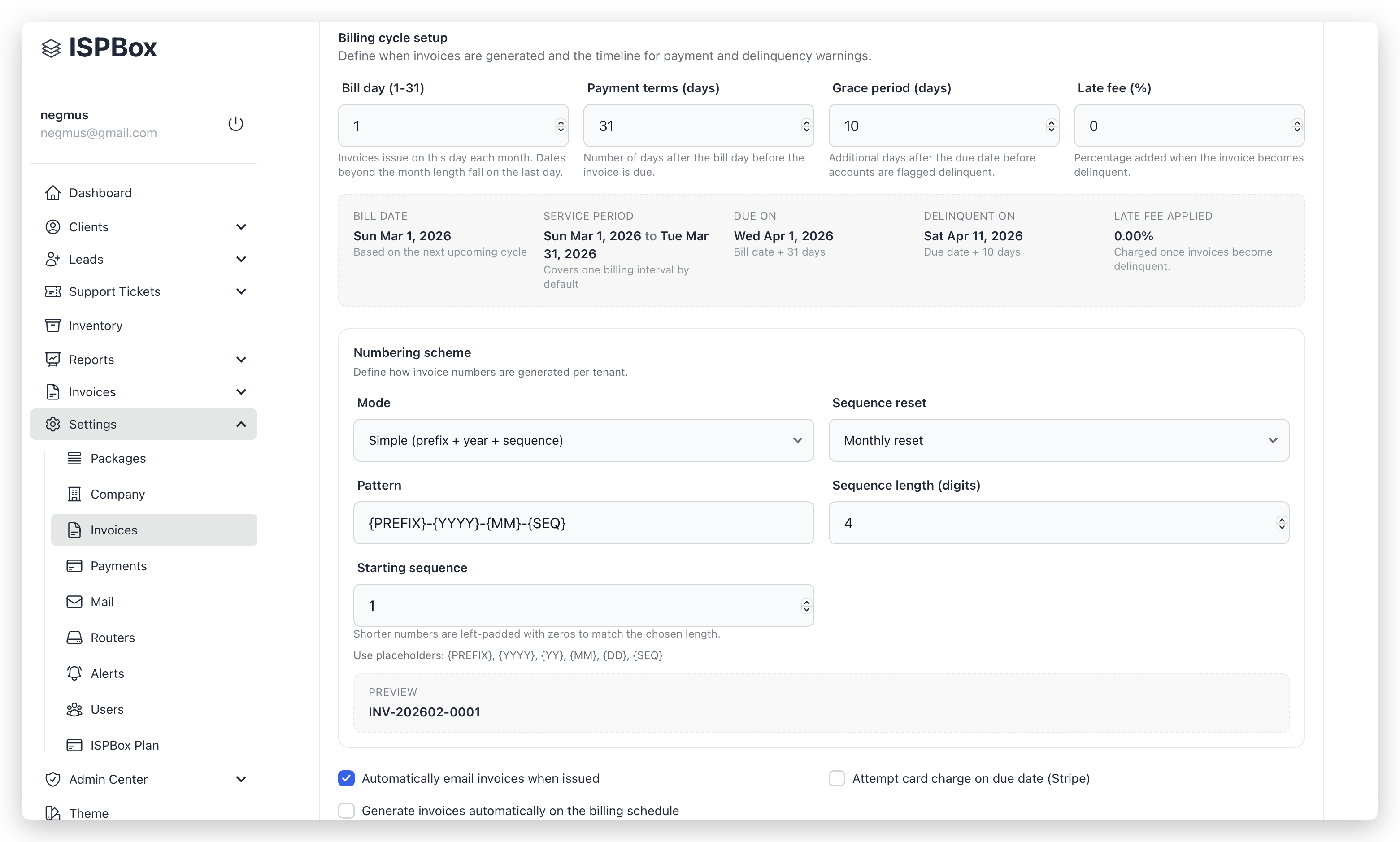
2. Billing cycle setup
Defines billing timeline and delinquency timing.
| Field | Description |
|---|---|
| Bill day (1–31) | Day of month used for invoice issue date. |
| Payment terms (days) | Days from bill date to due date. |
| Grace period (days) | Additional days after due date before delinquency actions. |
| Late fee (%) | Percentage applied to delinquent invoices. |
The cycle preview shows expected:
- bill date,
- service period,
- due date,
- delinquent date,
- applied late fee.
3. Numbering scheme
Controls invoice number format.
| Field | Description |
|---|---|
| Mode | Simple or Advanced pattern. |
| Sequence reset | Never, Yearly, or Monthly. |
| Pattern | Supports placeholders: {PREFIX}, {YYYY}, {YY}, {MM}, {DD}, {SEQ}. |
| Sequence length (digits) | Zero-padding width (for example 4 → 0001). |
| Starting sequence | Initial sequence value. |
A live preview is shown before saving.
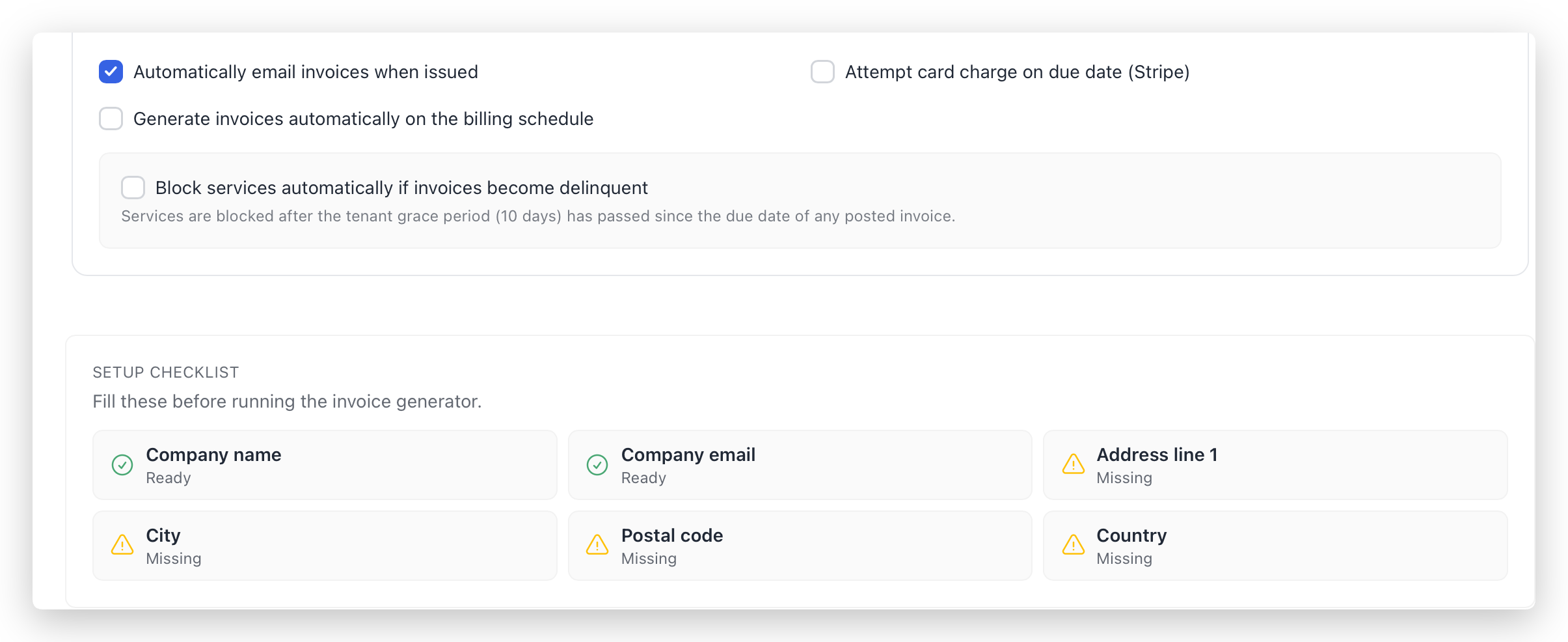
4. Automation and collection behavior
| Option | Effect |
|---|---|
| Automatically email invoices when issued | Sends invoice emails automatically after issue. |
| Attempt card charge on due date (Stripe) | Enables automatic Stripe due-date charge attempts. |
| Generate invoices automatically on the billing schedule | Enables scheduled background invoice generation. |
| Block services automatically if invoices become delinquent | Enables automated delinquency enforcement. |
When delinquency blocking is enabled, additional controls appear:
- reminder lead days,
- reminder repeat interval,
- enforcement mode (block or limit),
- limit mode (percent or static Mbps) and values.
Messages tab
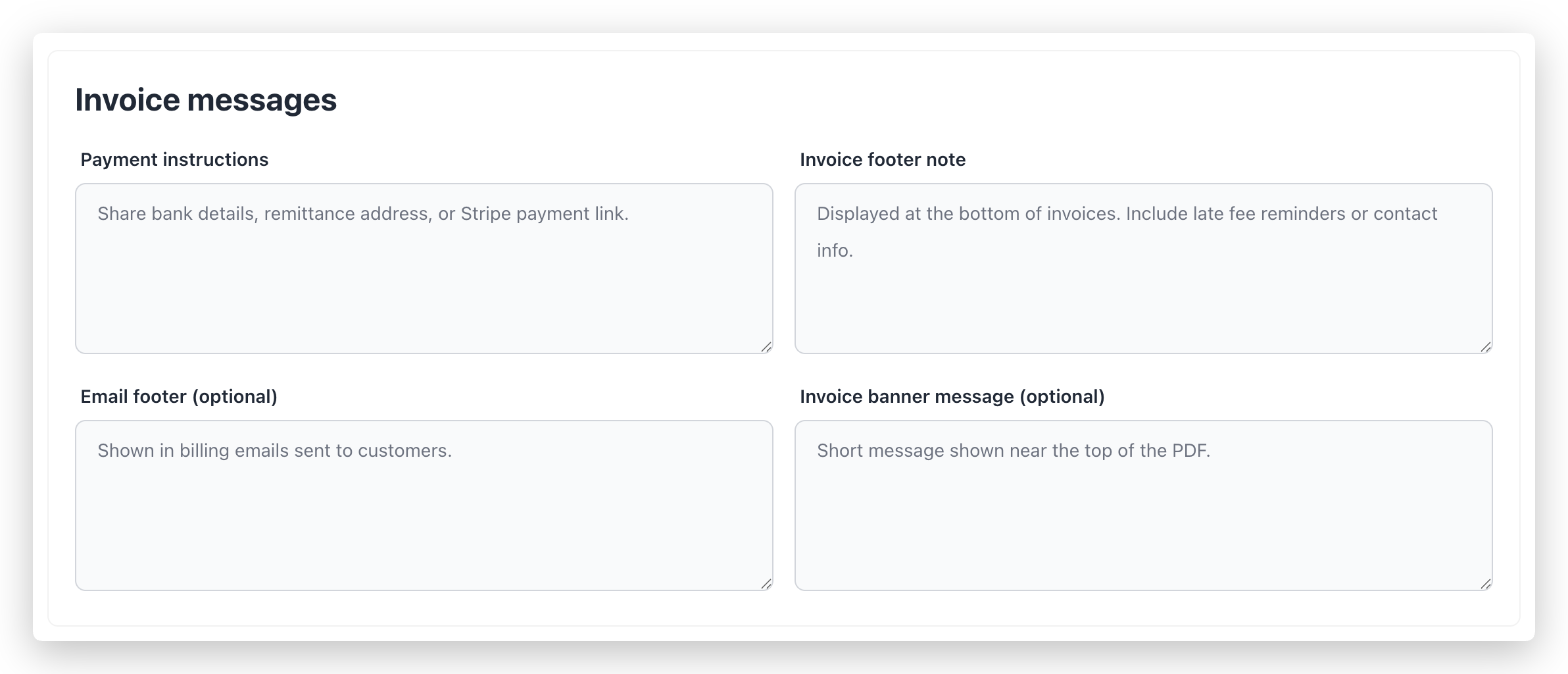
1. Invoice messages fields
Use these text areas to define message content included in billing output.
| Field | Used in |
|---|---|
| Payment instructions | Invoice communication and payment guidance. |
| Invoice footer note | Footer content in invoice PDF. |
| Email footer (optional) | Footer in billing emails. |
| Invoice banner message (optional) | Short top message in invoice PDF. |
2. Template editors
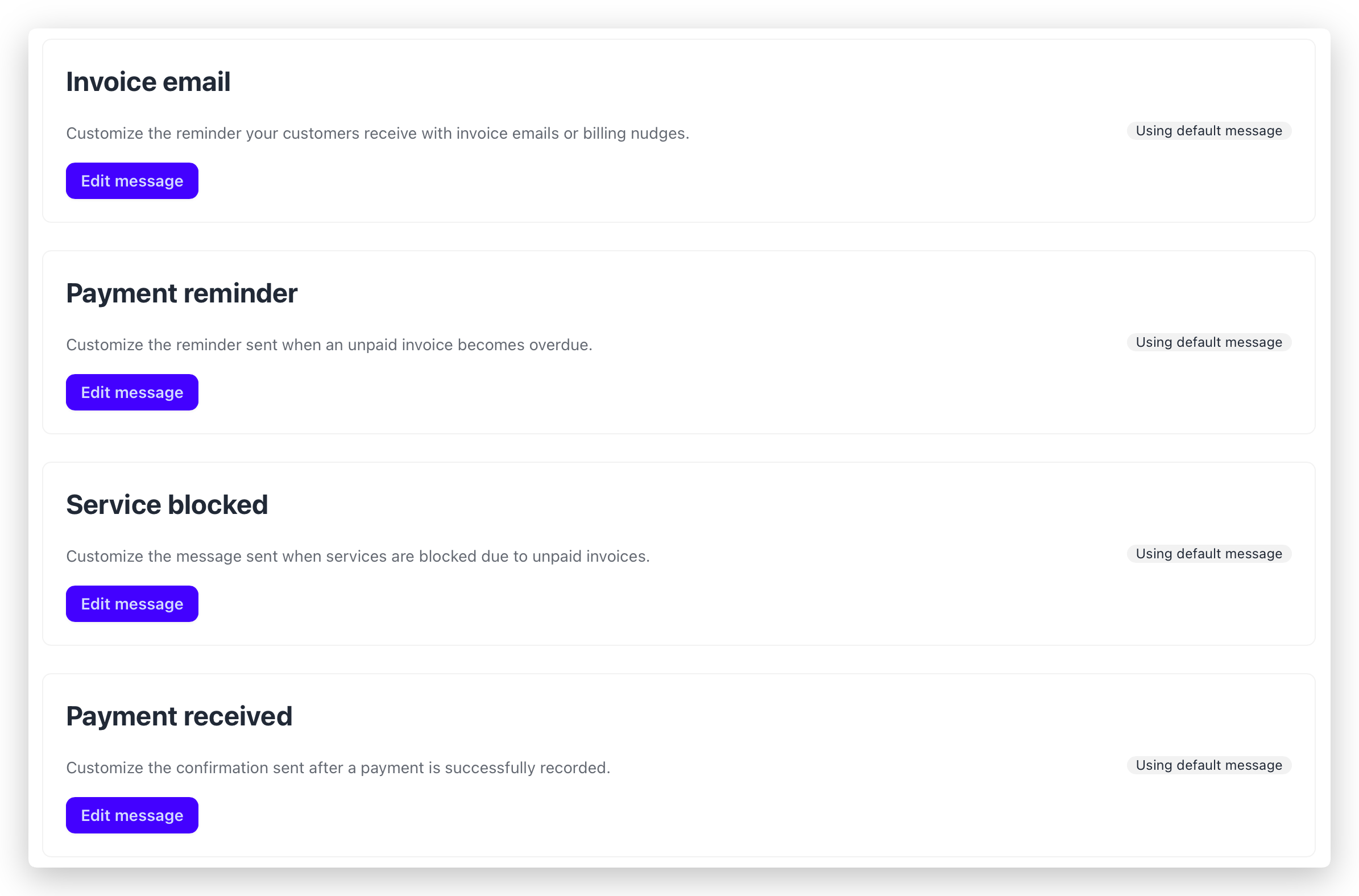
Four message types can be customized independently:
- Invoice email
- Payment reminder
- Service blocked
- Payment received
Each card shows status:
- Custom copy active
- Using default message
Selecting Edit message opens a dedicated editor with placeholders and test-email support.
Setup checklist
At the bottom of the page, ISPBox displays readiness checks for required company billing identity fields:
- Company name
- Company email
- Address line 1
- City
- Postal code
- Country
These fields should be completed before running invoice generation.