Company
Configure ISPBox Company settings for invoices and client communication: company identity, billing address, invoice logo, portal welcome message, ticket checklists, and monitoring options.
Overview
The Company page (/settings/company) is where you define your business identity used across invoices, receipts, and billing communication.
All changes are saved with Save changes in the page header.
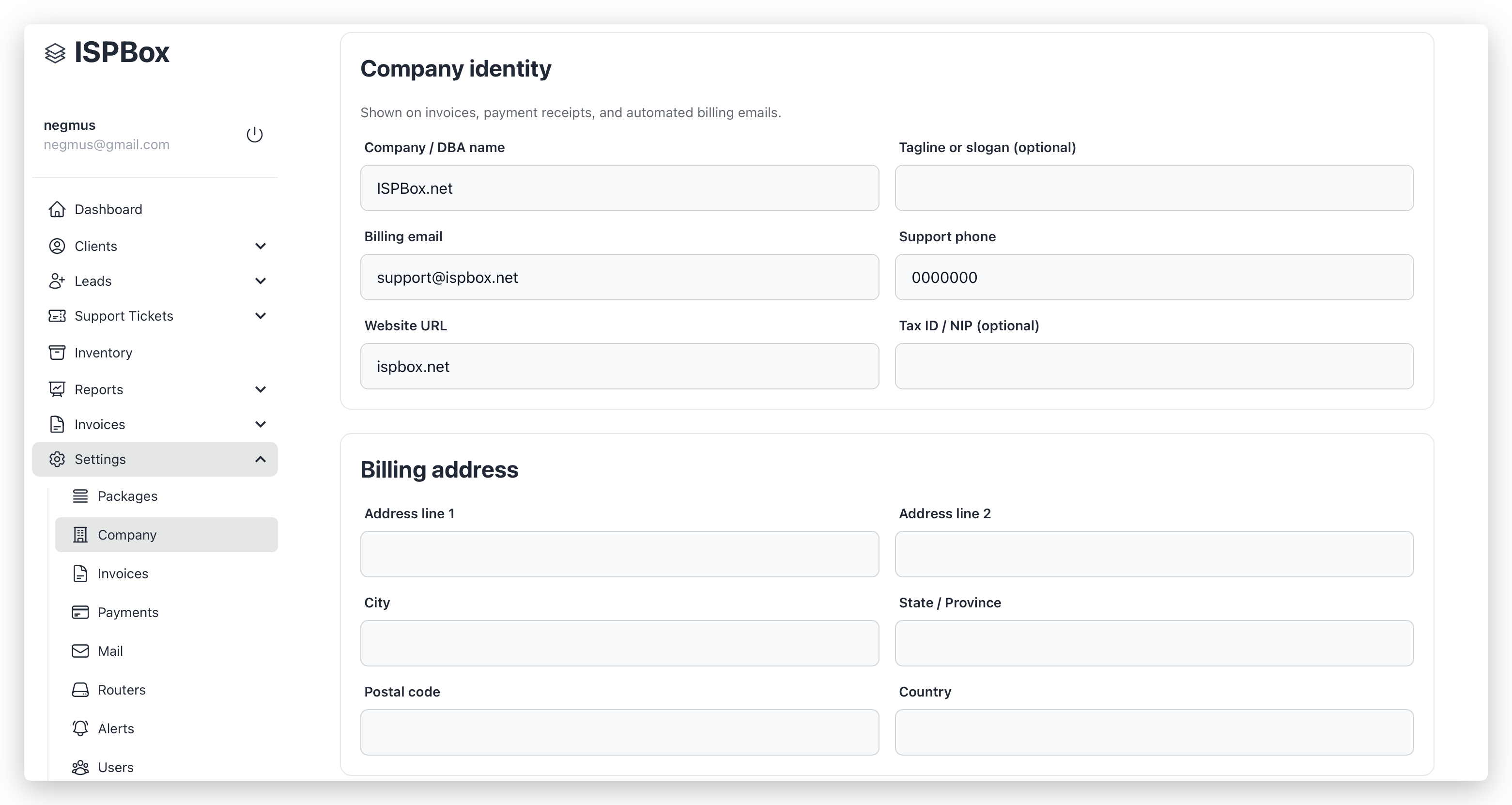
Section 1: Company identity
These fields describe your business on billing documents and emails.
- Company / DBA name: Main legal or trading name shown to customers.
- Tagline or slogan (optional): Extra branding line.
- Billing email: Main billing contact email.
- Support phone: Phone displayed as support contact.
- Website URL: Public website link.
- Tax ID / NIP (optional): Tax identification number shown on invoices.
Section 2: Billing address
This is your company billing address.
- Address line 1
- Address line 2
- City
- State / Province
- Postal code
- Country
For invoice generation, the system expects: company name, billing email, address line 1, city, postal code, and country.
Section 3: Branding & assets
Controls invoice branding and portal invitation messaging.
-
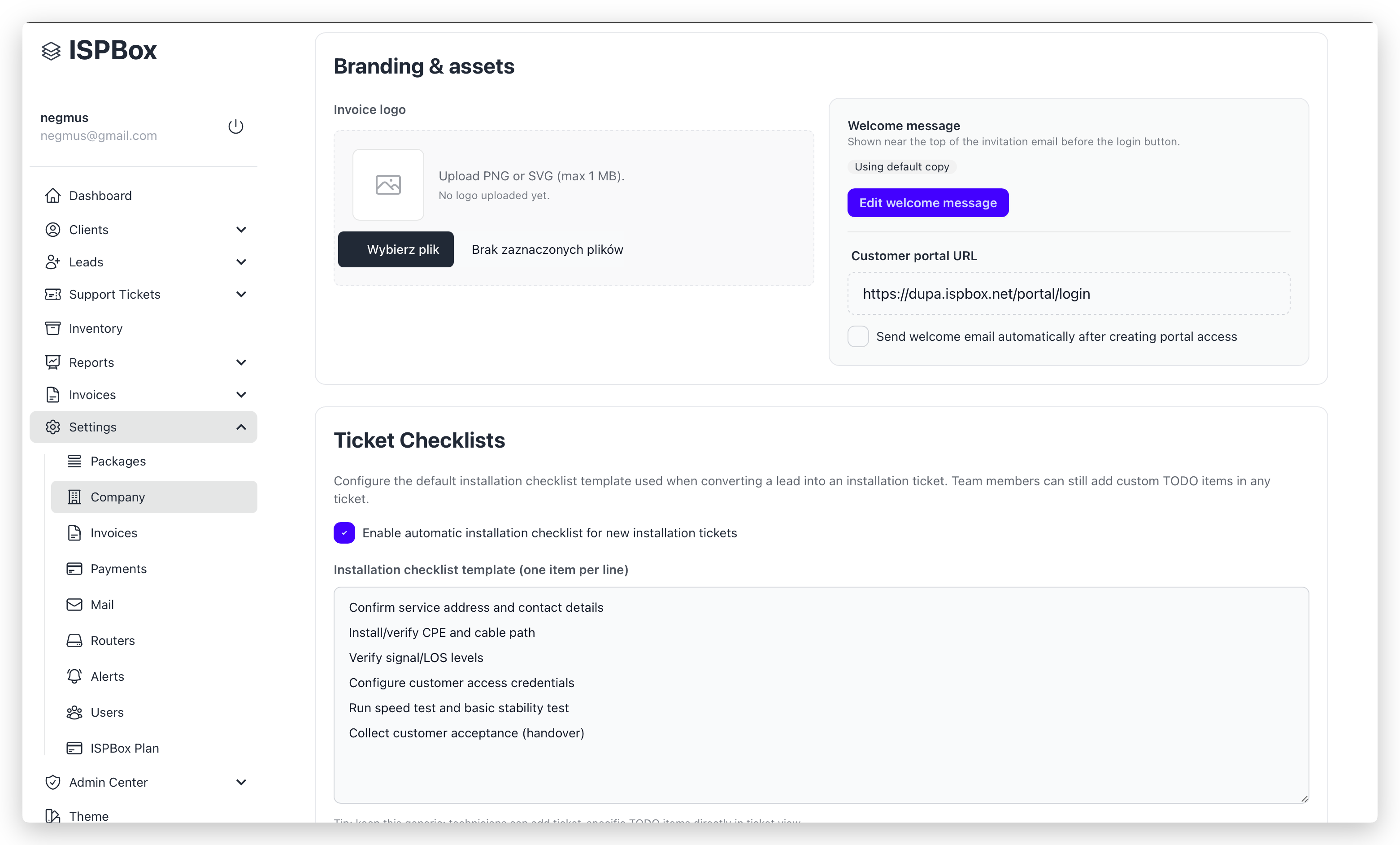
Invoice logo
-
Upload format: PNG or SVG
-
Max size: 1 MB
-
You can remove and replace the current logo.
-
Welcome message
-
Opens a dedicated editor for the customer portal invitation email.
-
Supports placeholders like {client_name} and {portal_url}.
-
Can use custom text or default text.
-
Customer portal URL
-
Read-only field.
-
Auto-generated from your tenant subdomain.
-
Send welcome email automatically after creating portal access
-
Stores the portal invitation behavior preference for your tenant.
Section 4: Ticket Checklists
Defines the default installation checklist template used when converting a lead into an installation ticket.
- Toggle to enable/disable automatic checklist creation.
- Template is one line = one item.
- Reset to default restores the built-in checklist.
Section 5: Monitoring
Infrastructure monitoring toggles.
- Router Monitoring: Enables periodic router status checks.
- Client Session Monitoring: Enables client session tracking.
What affects invoices directly
The following fields from /settings/company are used in invoice output:
- Company name, tagline, billing email, support phone, website, tax ID
- Billing address
- Portal URL
- Invoice logo
These values are included in invoice metadata at issue time, so updates mainly affect newly issued invoices (not historical records already generated/sent).